
UI Gallery
Plan projects, keep task details beside your notes, and take the same workflow to your phone. Explore the real Tasks Bridge interface in a fictional sample workspace.
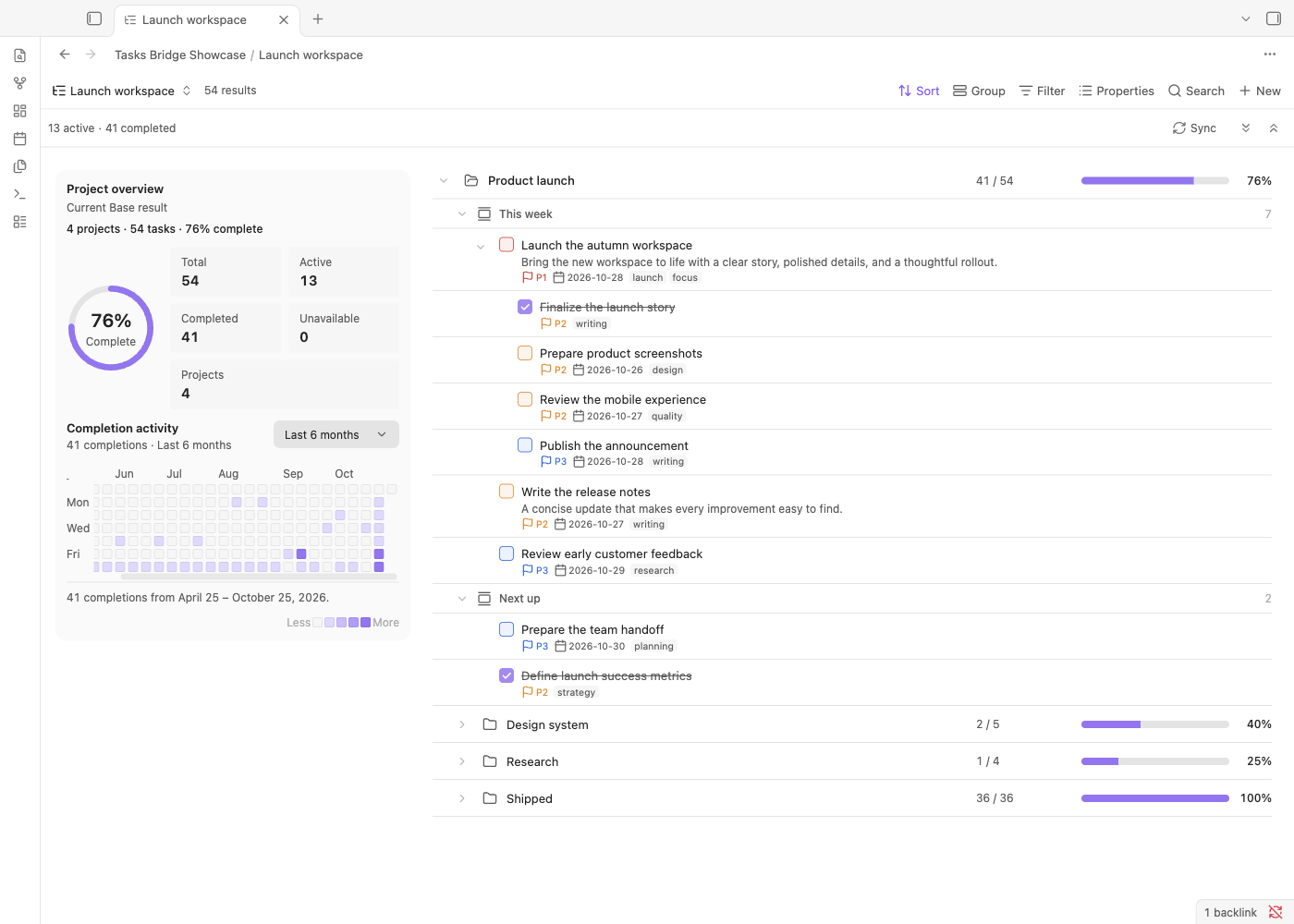
Your projects at a glance
The Tasks List view in Obsidian Bases brings projects, sections, and subtasks into one hierarchy. Project progress and completion activity share the same filtered workspace.
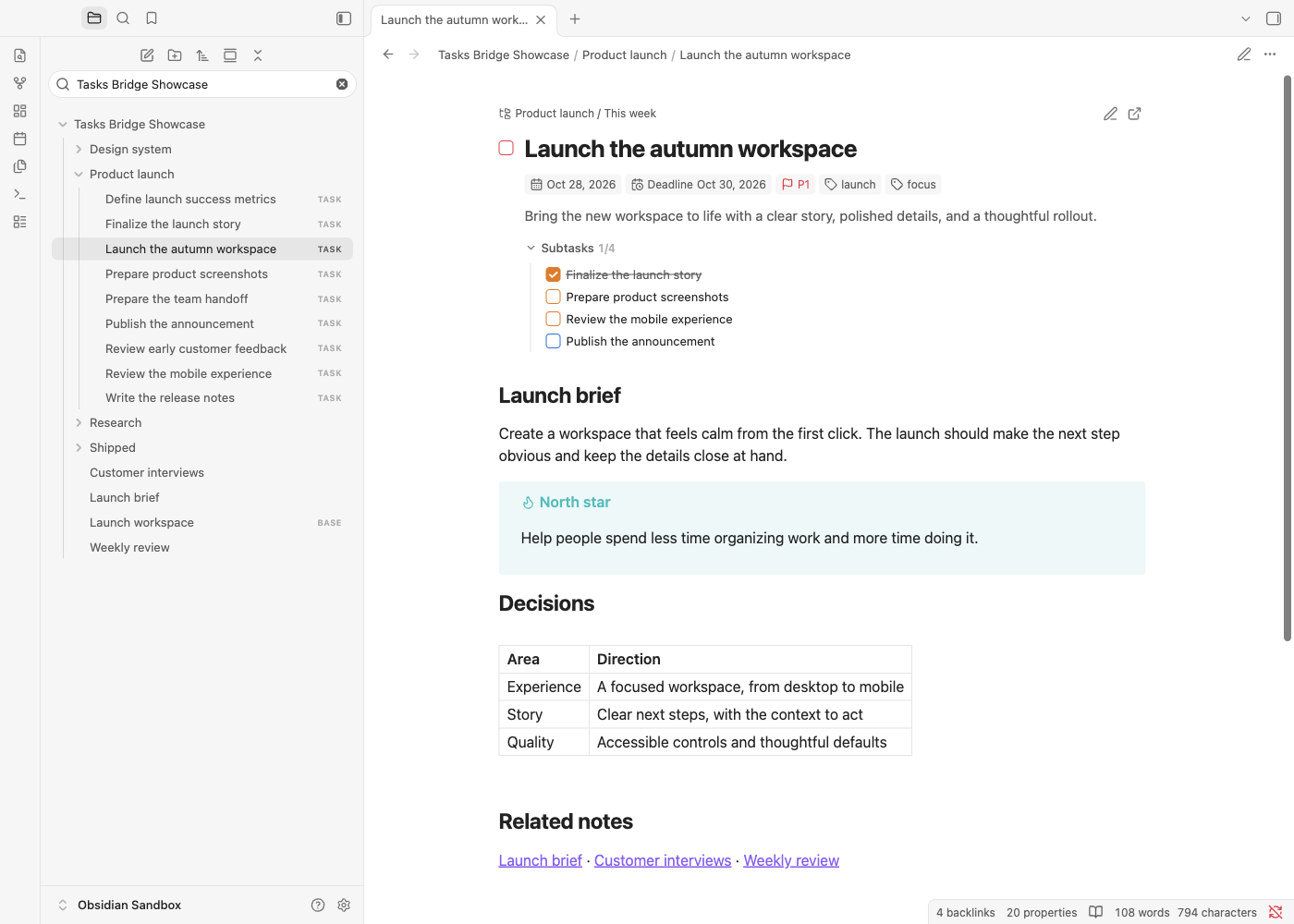
A task with room for your thinking
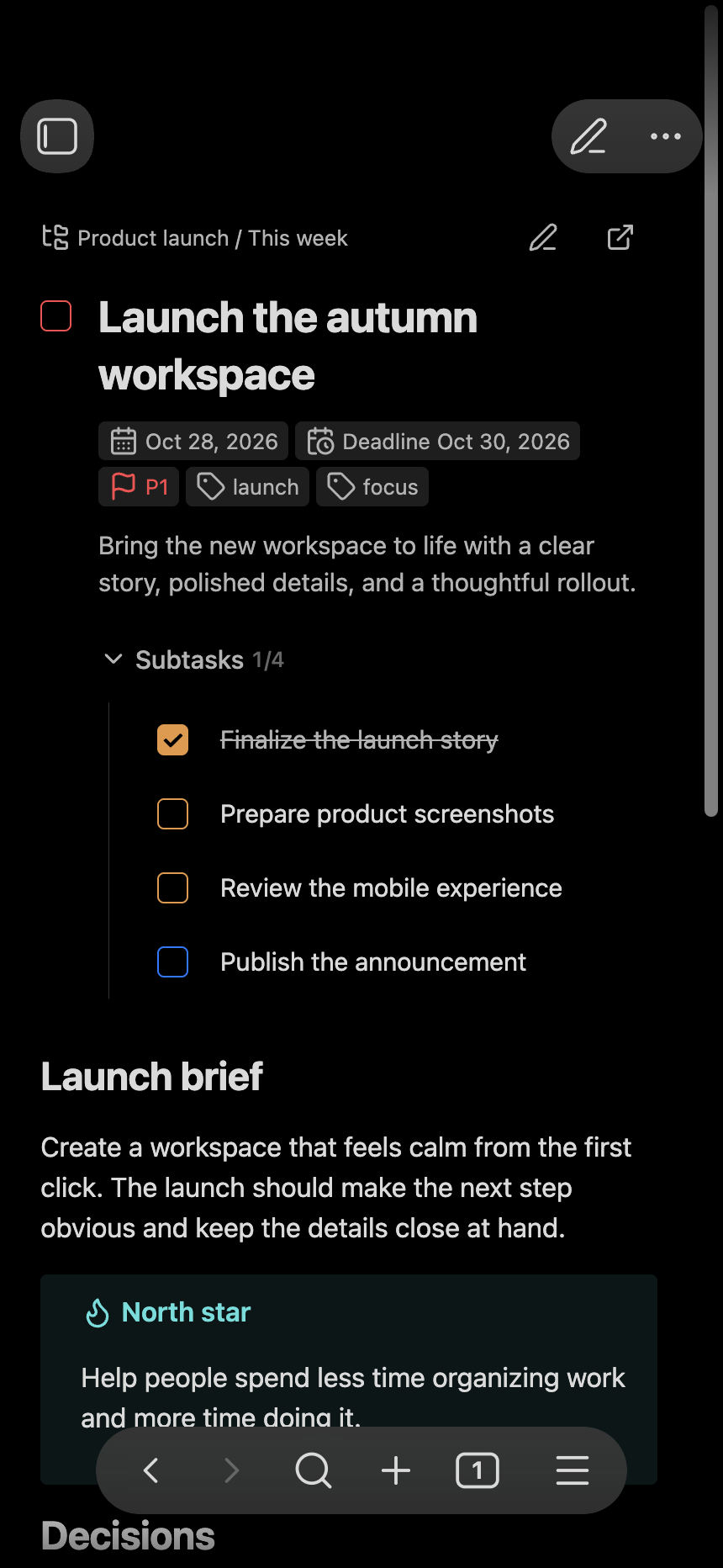
Task details live at the top of a native Markdown document. Keep meeting notes, decisions, and links underneath; the task header scrolls naturally with the page.
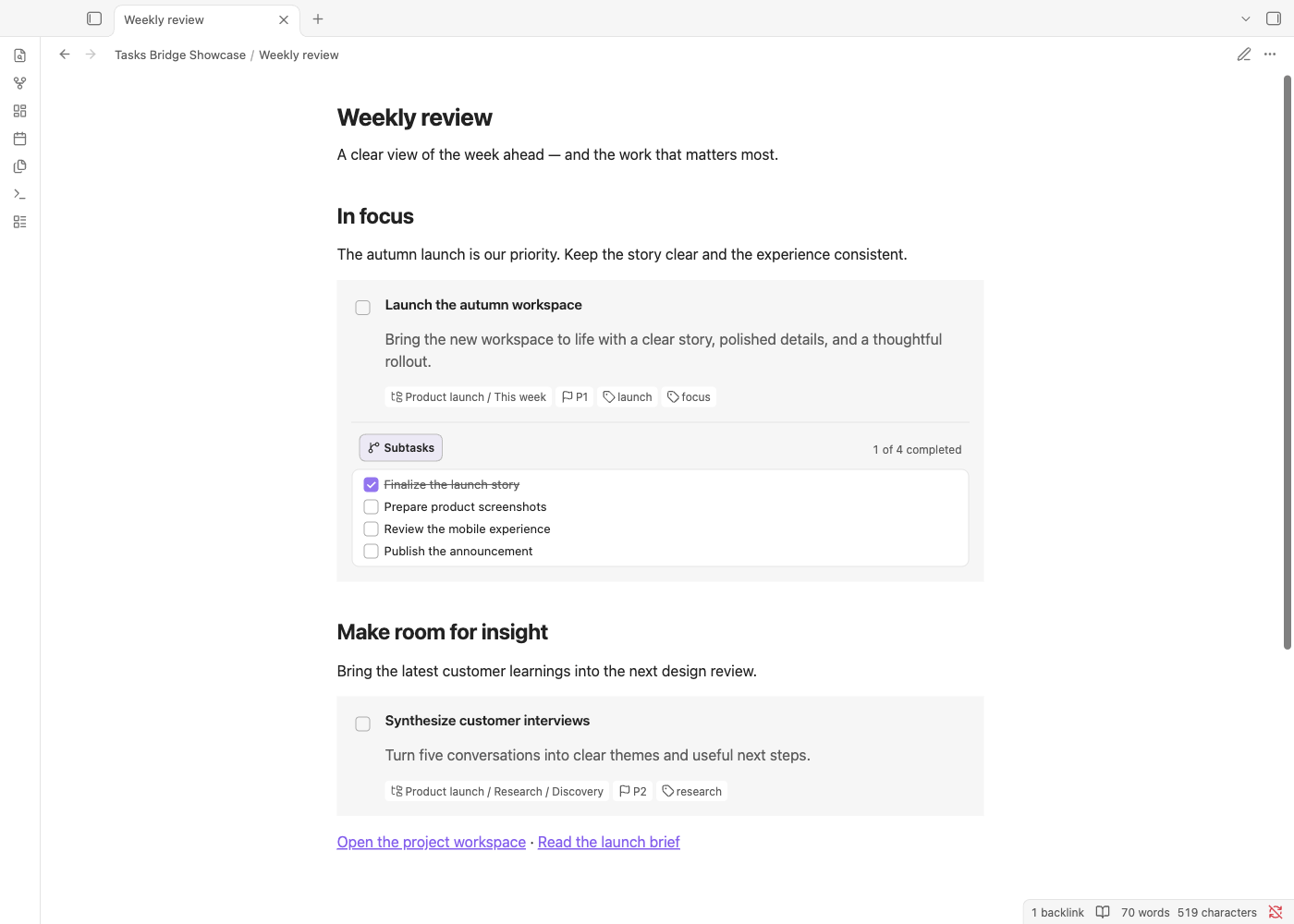
Bring tasks into any note
Embed task cards beside the context that matters. A project brief or weekly review can show task status and subtasks without becoming a separate task list.
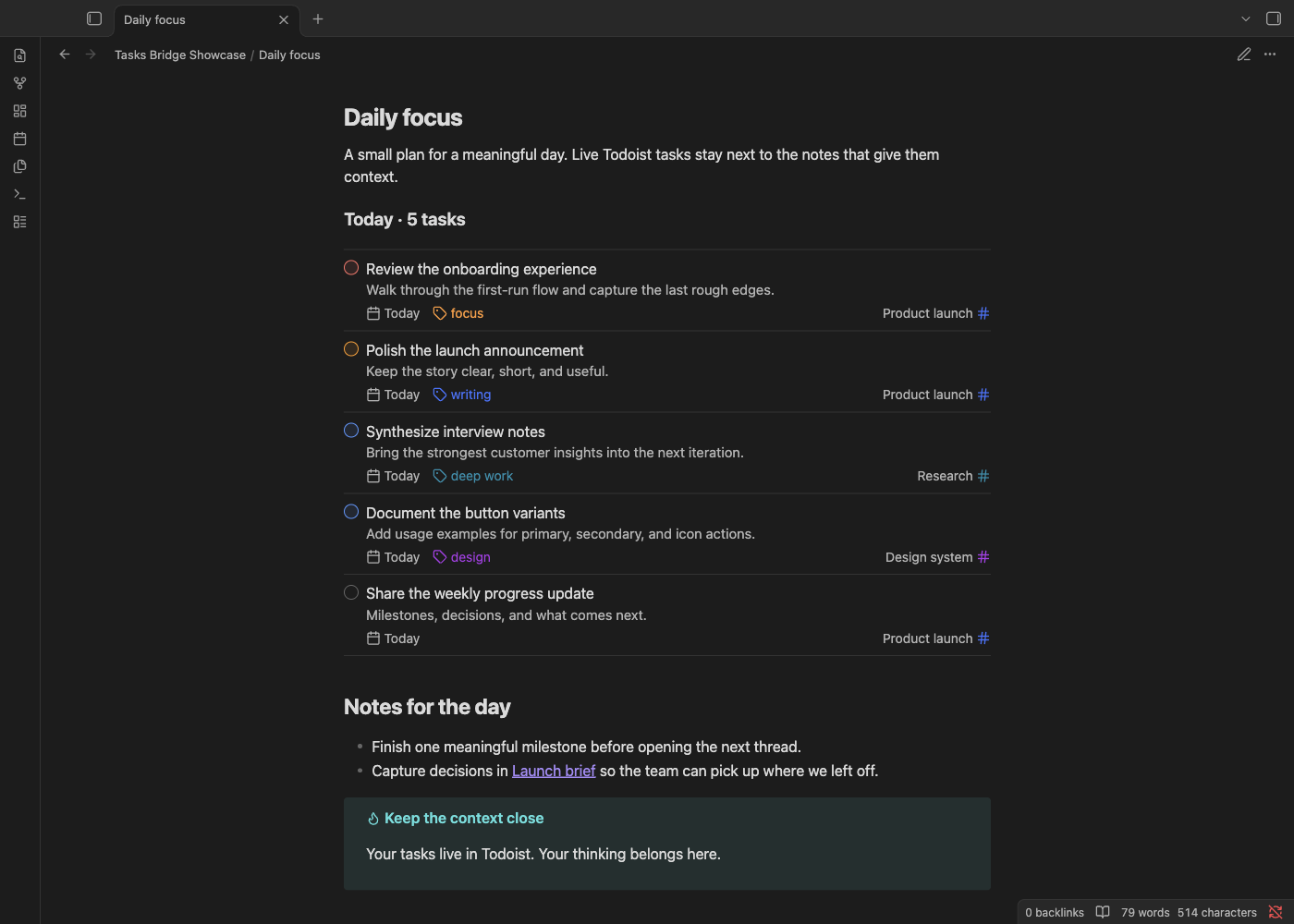
A focused view of what comes next
Query blocks turn Todoist filters into live task lists inside your notes. Group and sort the results to fit a daily plan or a focused work session.
The same tasks, on your phone
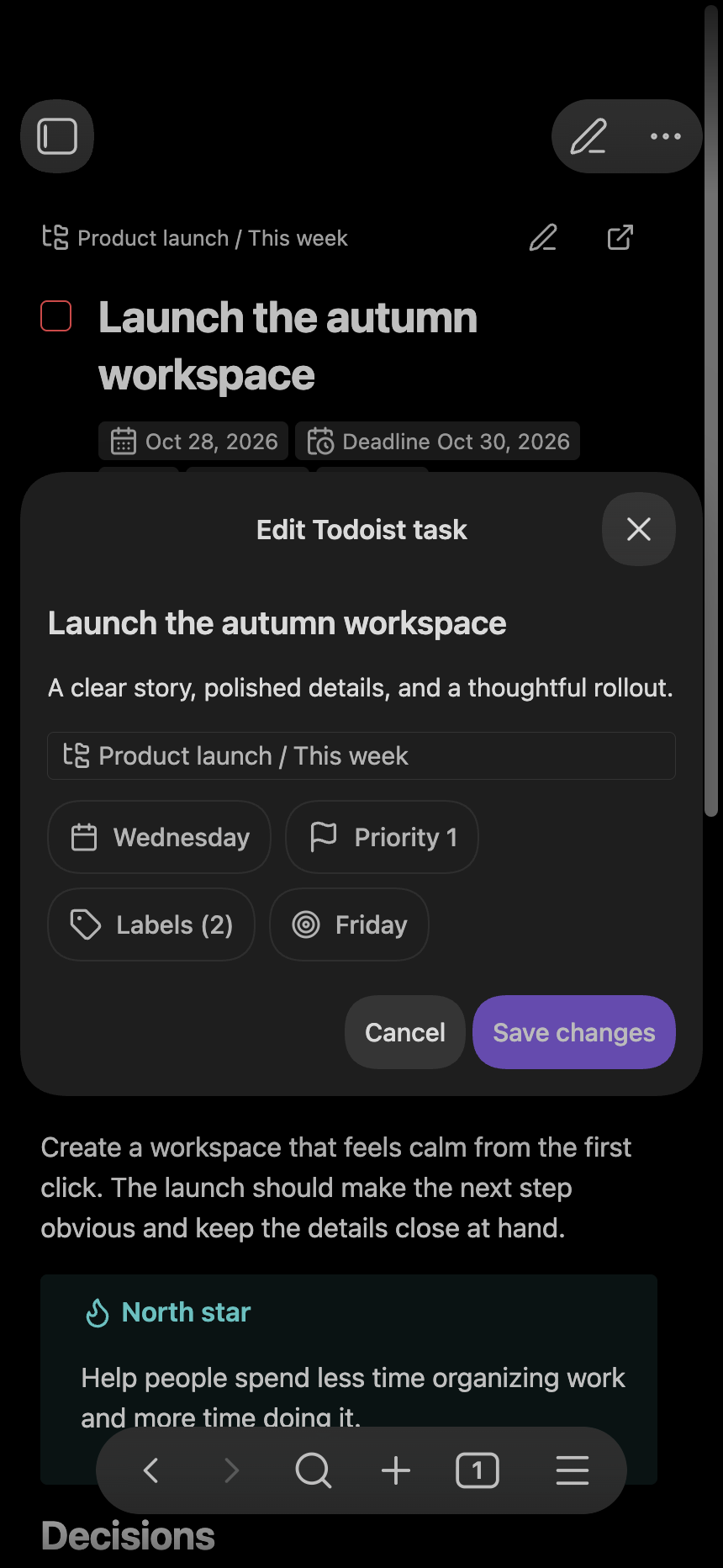
Read task notes and edit task details in Obsidian's mobile interface. These previews use its mobile layout in a simulated phone viewport.
Start with Project sync for task files and Bases, or Query blocks for filtered task lists inside notes.